

Add Assets to a Booking From a Location and Its Sub-Locations
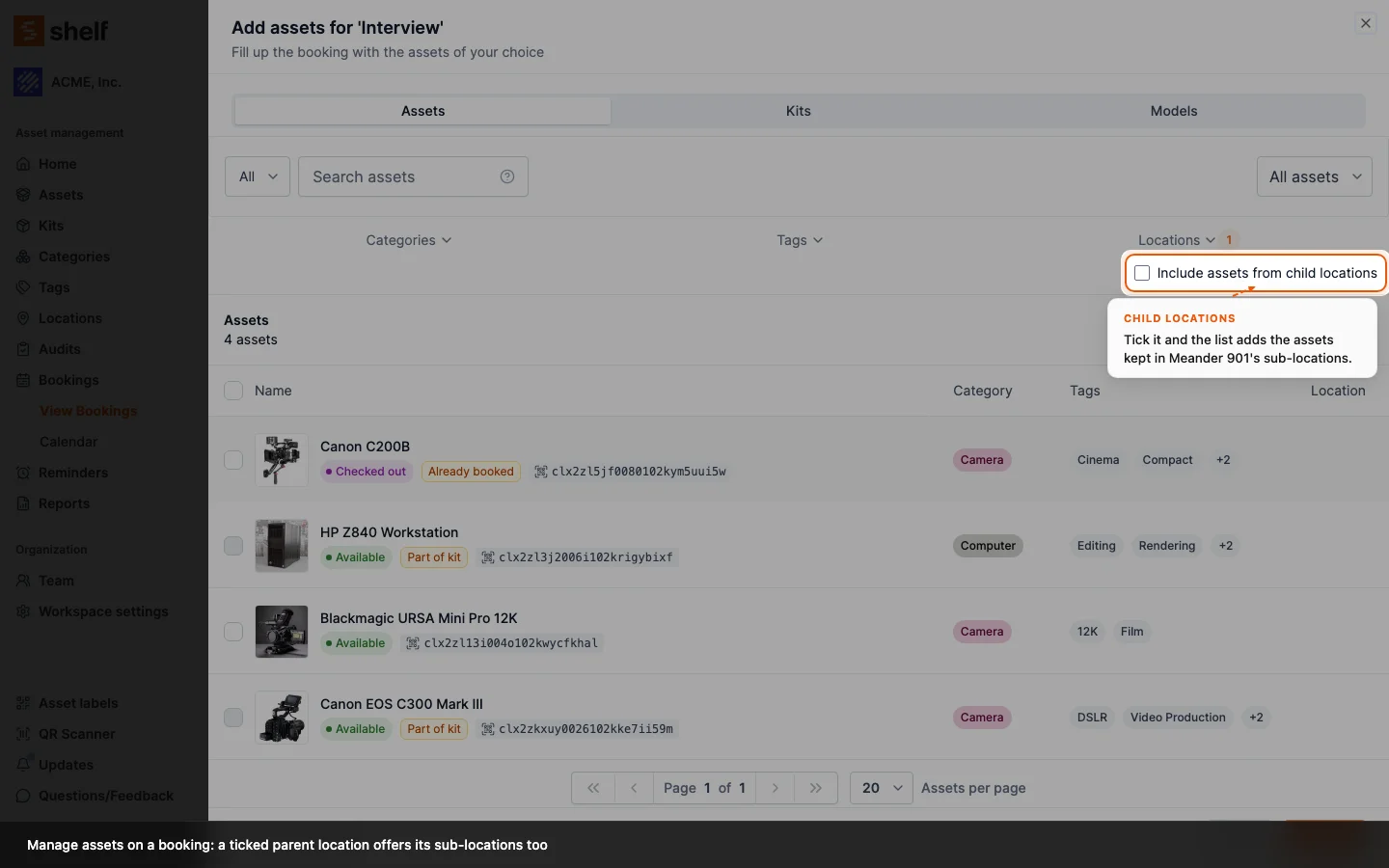
In a booking's Add assets dialog, ticking a location that has child locations now offers an Include assets from child locations checkbox. Tick it and the list, and Select all, include every asset kept below it.
On a booking's Add assets dialog, ticking a parent location whose assets sit in its sub-locations showed an empty list, with no hint why: the Locations filter matched the ticked location exactly. Now, when a ticked location has child locations, a checkbox Include assets from child locations appears under the filter. Tick it and the list adds every asset kept below the ticked locations, and Select all picks the same set, so a whole building can go on a booking in one pass.
The checkbox is off by default, hidden for a location without children, and works the same way as the one the Start audit dialog already offers for a location. The kit page's and the location page's asset pickers keep exact matching.
Ready to organize your assets?
Join thousands of teams who trust Shelf to manage their physical assets. Free forever, or try the Team plan free for 7 days.
Out in the field? Shelf Companion is free on iPhone & Android.