

Sequential Asset IDs: Simplifying Asset Identification
Learn how Sequential Asset IDs provide simple, memorable identifiers like SAM-0001 that make asset management intuitive for everyone.
Managing hundreds or thousands of assets can be overwhelming with system-generated IDs. Sequential Asset IDs solve this by providing simple, memorable identifiers like SAM-0001, SAM-0002, and SAM-0003 that make asset management intuitive for everyone.
What Are Sequential Asset IDs?
Sequential Asset IDs are user-friendly identifiers that automatically assign easy-to-remember numbers to assets in order. Instead of complex system IDs like "8e4cd173-3f85-4001-90f3", you get clean sequential numbers:
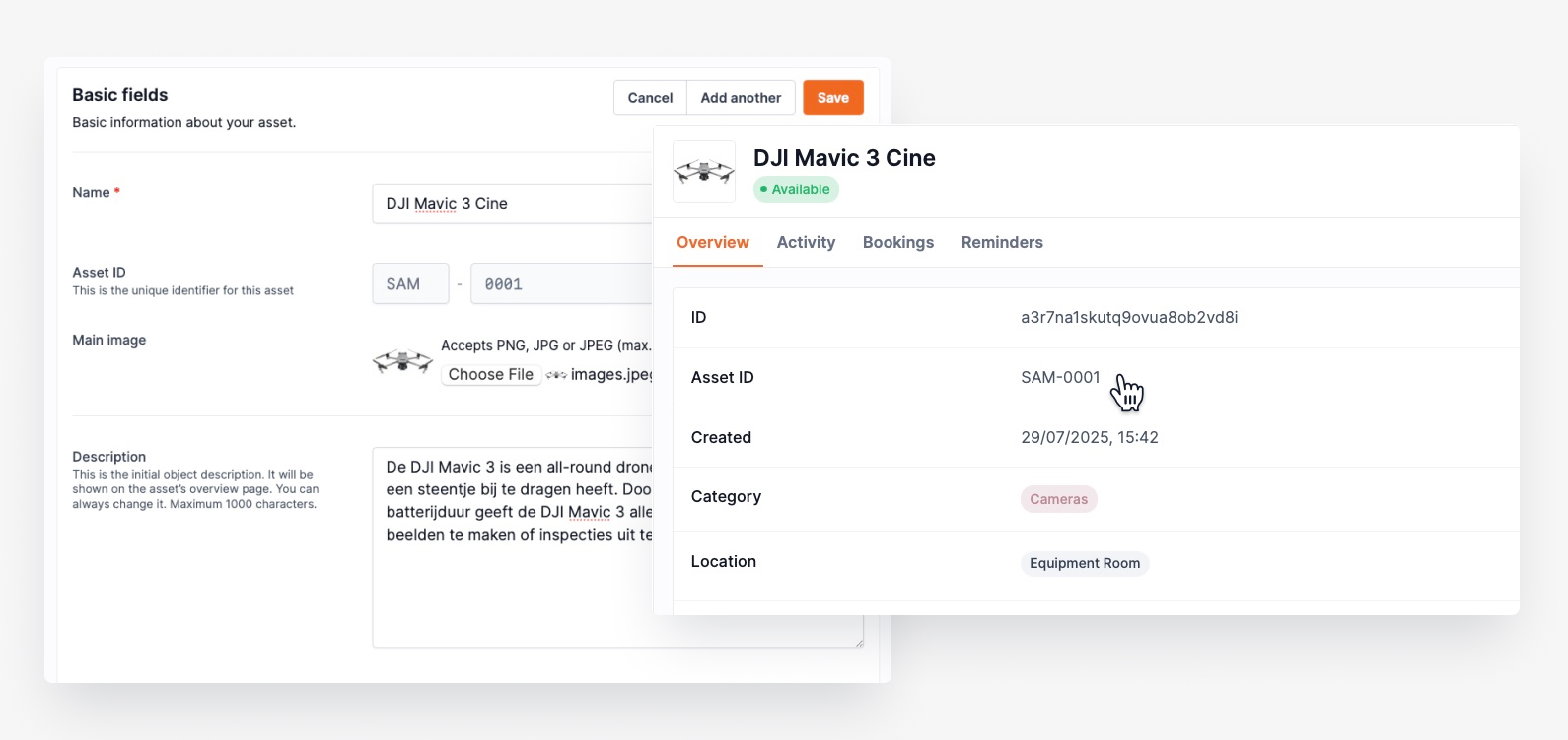
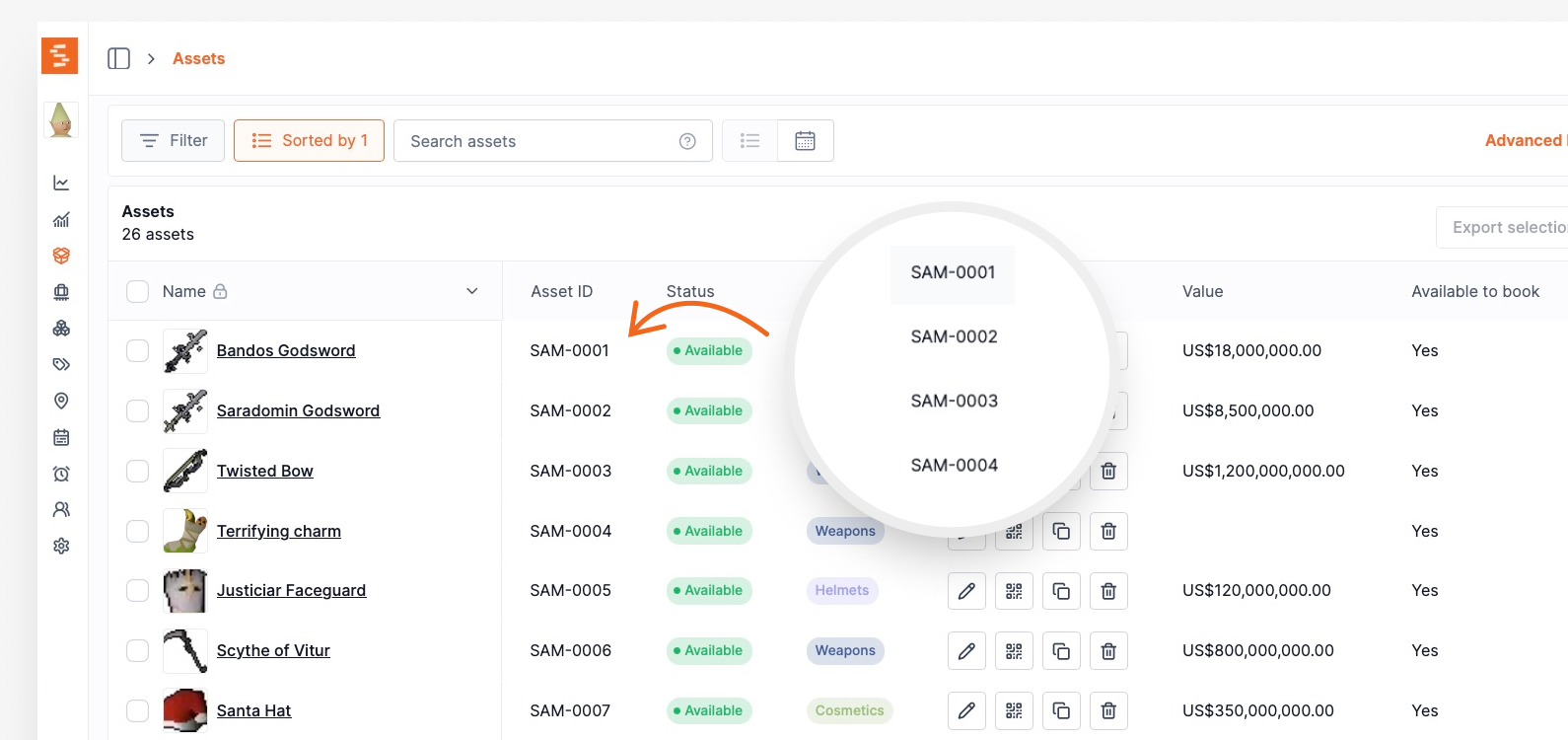
- SAM-0001 (first asset)
- SAM-0002 (second asset)
- SAM-1500 (1,500th asset)
Think of it like numbering pages in a book -- each asset receives the next available number for easy reference and team discussion.
Key Benefits
- Simplified Communication: "Can you check on SAM-0892?" is clearer than referencing long system IDs.
- Easier Tracking: Sequential numbers simplify identifying when assets were added and estimating inventory size.
- Professional Appearance: Clean, consistent numbering looks more professional on reports, labels, and documentation.
How Sequential IDs Work
Automatic Assignment
Shelf automatically assigns the next sequential ID when you create a new asset. The system handles numbering seamlessly without manual input.
Organization-Specific Numbering
Each organization gets its own separate sequence. Multiple workspaces have independent numbering starting from 0001.
Backward Compatibility
Sequential IDs work alongside existing assets. All existing assets automatically receive sequential IDs assigned based on their creation date.
Viewing Sequential IDs
Sequential IDs appear throughout Shelf in asset interactions:
- Asset Index: The sequential ID appears as a dedicated column in your asset list for easy scanning and location.
- Asset Details: On individual asset pages, the sequential ID is prominently displayed near the asset name.
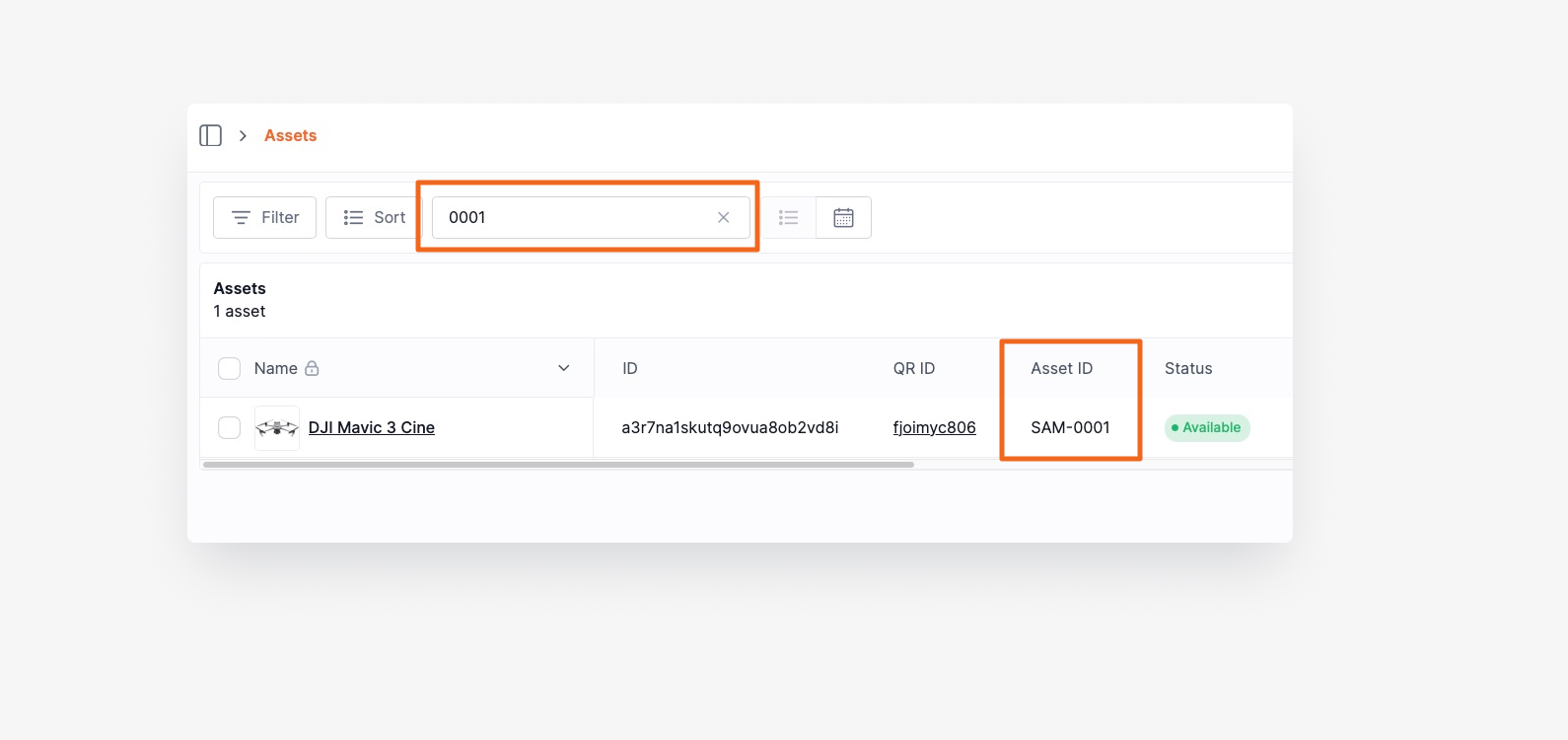
- Search and Filtering: Search for assets using sequential IDs -- type "SAM-1500" or just "1500" to find specific assets quickly.
Setting Up Sequential IDs
For New Organizations
Sequential IDs are automatically enabled. Every created asset receives a sequential ID starting from SAM-0001.
For Existing Organizations
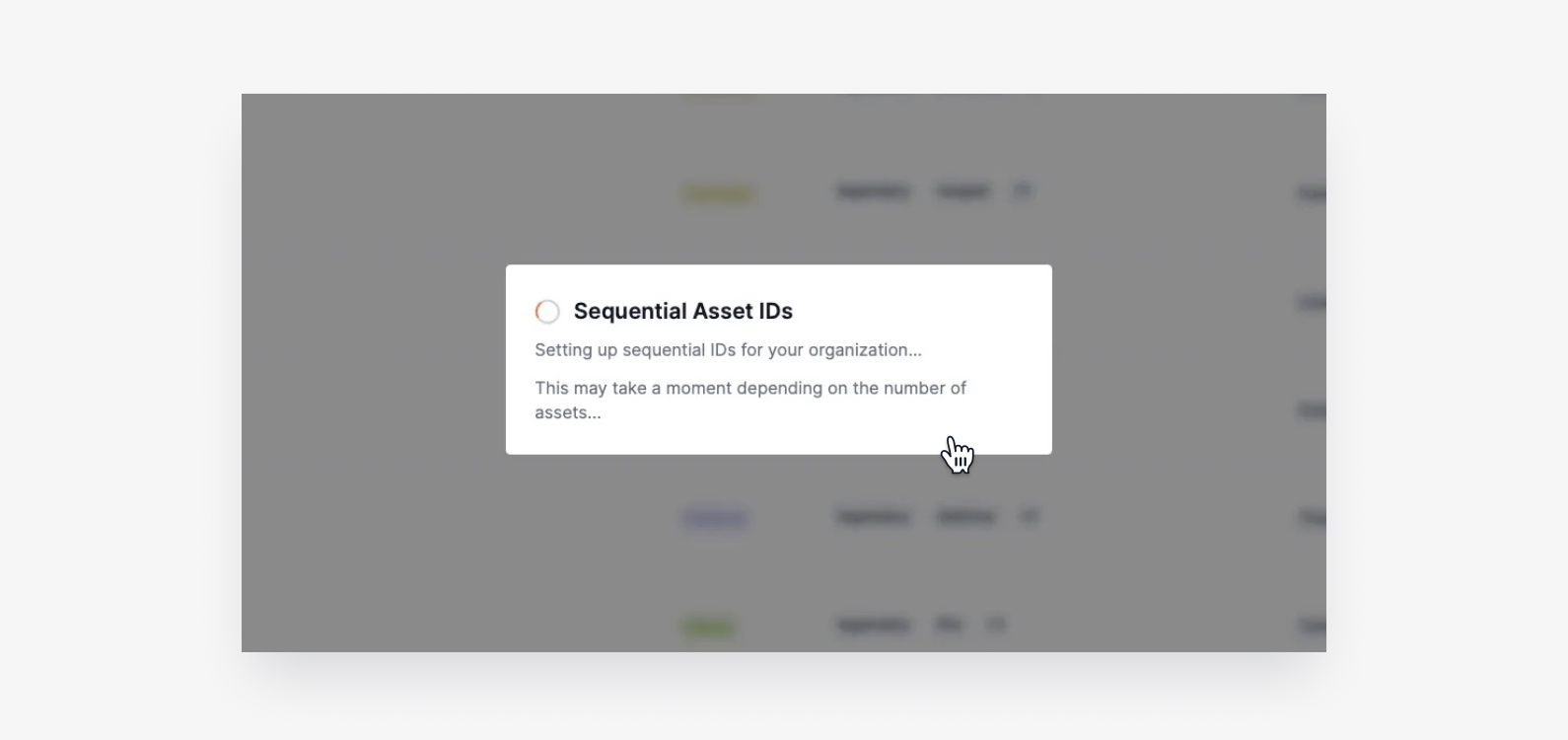
When first logging in after sequential IDs are enabled, you'll see a one-time migration dialog.
The migration process:
- A popup appears informing that sequential IDs will be generated
- Wait while Shelf assigns IDs to existing assets (may take minutes for large inventories)
- Once complete, all assets will have sequential IDs
Important: The migration runs only once and doesn't affect existing workflows or integrations.
Working with Sequential IDs
Searching Assets
Use sequential IDs in the search bar for quick asset location:
- Type "SAM-0001" to find your first asset
- Search "1500" to find assets with that number
Reports and Exports
Sequential IDs appear in all asset exports and reports, making it easier to cross-reference data with physical assets or external systems.
Best Practices
- Reference Assets by Sequential ID: Train teams to use sequential IDs when discussing assets for clearer communication.
- Use in Documentation: Reference sequential IDs in maintenance logs, incident reports, and documentation for consistent tracking.
- Leverage for Inventory Counts: Sequential IDs make physical inventory counts more systematic -- easily identify missing numbers in sequences.
Frequently Asked Questions
Can I change the prefix from "SAM"? Currently, the prefix is set to "SAM" (Shelf Asset Management) by default. Custom prefixes may be available in future updates.
What happens if I delete an asset? Deleted assets keep their sequential IDs, so numbers aren't reused. This maintains historical accuracy and prevents confusion.
Do sequential IDs affect asset URLs or integrations? No, sequential IDs are display-only identifiers. Existing integrations and URLs continue working unchanged.
Can I disable sequential IDs after enabling them? Sequential IDs become permanent once enabled. You can simply ignore them if preferring other identification methods.
Ready to try Shelf?
Put what you're learning into practice. Free plan available — no credit card required.